









Get Feedback
Voting Responses
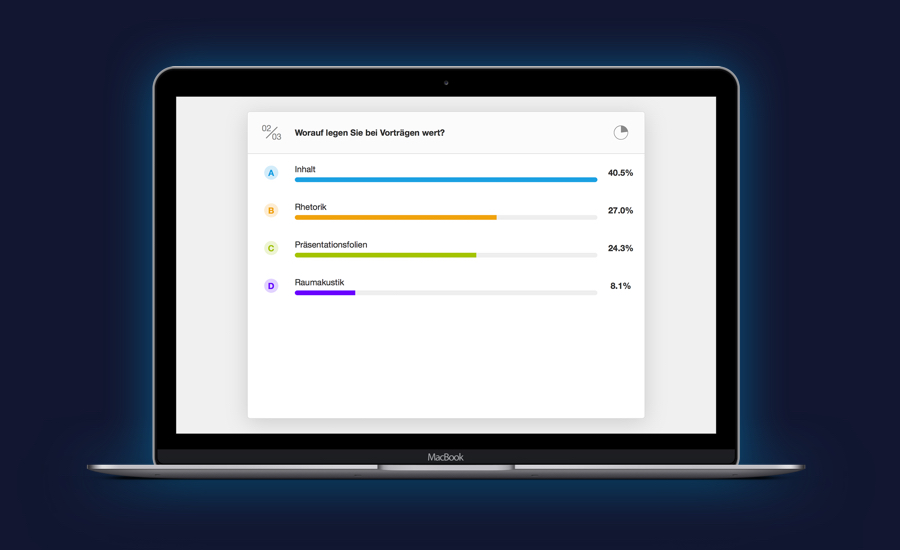
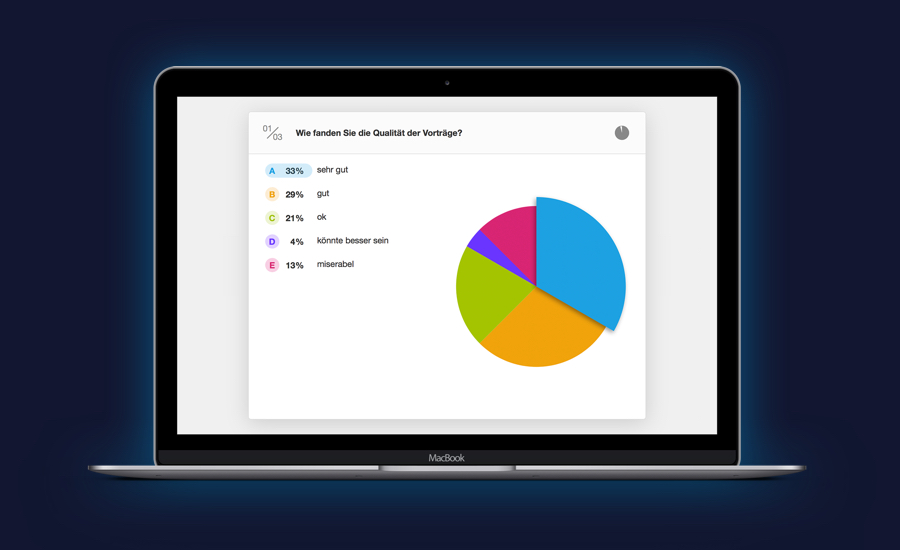
You can use the Voting feature to acquire data in real time, such as for a Q&A session, a workshop or as feedback for the entire event. The system can cover a variety of scenarios. The results will be sent to the CMS system and can be evaluated using bar or pie charts on a screen.
- Variable scenarios for usage
- Single & multiple choice or free text responses
- Live presentation mode with optional word cloud presentation
Wall of Ideas
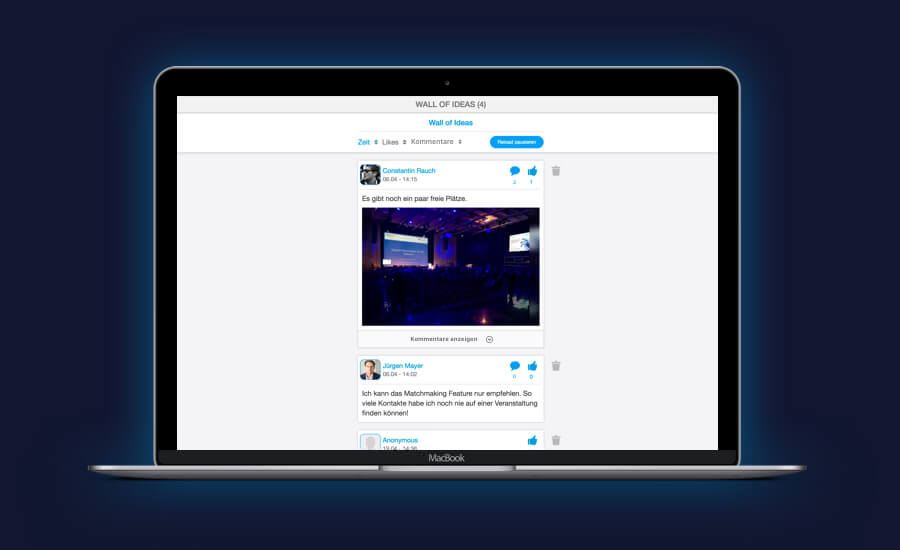
Participants’ ideas and opinions can be collected using a Wall of Ideas. Users can post comments or pictures on the wall and others can respond with a “Like” or their comments. Relevant contributions can be ranked thereby and used as additional components for lectures or workshops.
- Various usage options
- Post anonymously or by name.
- Live presentation mode
Ask Questions
Participants can ask questions about a lecture anonymously or directly to the lecturer using the app. The questions will be collected in the CMS system, can be pre-sorted and then forwarded to the speakers. They can then integrate the questions into their lecture.
- Various scenarios for usage
- Anonymous usage
- Live presentation mode
Ranking
Ranking can be enabled or disabled for each agenda item. If this feature has been enabled, users will have the ability to rank the agenda items with 1 to 5 stars indicating their response to the item.
- General feedback tool
- Anonymous usage
- Ranking using the CMS system
Reach Participants
Push Messages
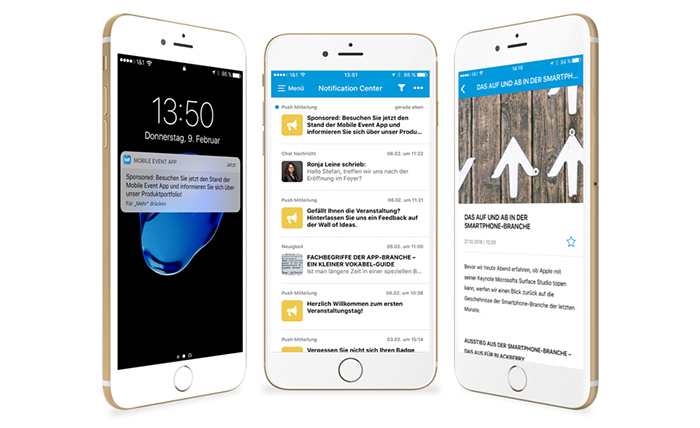
Notify participants at your event about changes or updates to the agenda using push messages. The messages can include links to app content and will be stored in the App’s Notification Center after being sent. Doing so will allow users to access them at any time, even if they missed the message.
- Send to all platforms
- Backup in the Notification Center
- Various options for usage
News Articles
News articles can published so that participants will be kept informed about your event or your company. Particularly important articles can be marked as “Sticky” so that they will always appear at the top of pages. News can also be combined with a push message when published.
- Notifications
- Combination with push messages
- Highlight important new items
Reach Participants
Push Messages
Notify participants at your event about changes or updates to the agenda using push messages. The messages can include links to app content and will be stored in the App’s Notification Center after being sent. Doing so will allow users to access them at any time, even if they missed the message.
- Send to all platforms
- Save messages in the Notification Center
- Various options for usage
News Articles
News articles can published so that participants will be kept informed about your event or your company. Particularly important articles can be marked as “Sticky” so that they will always appear at the top of pages. News articles can also be combined with push messages.
- Notifications
- Combination with push messages
- Highlight important new items
Sharing Content
Gallery
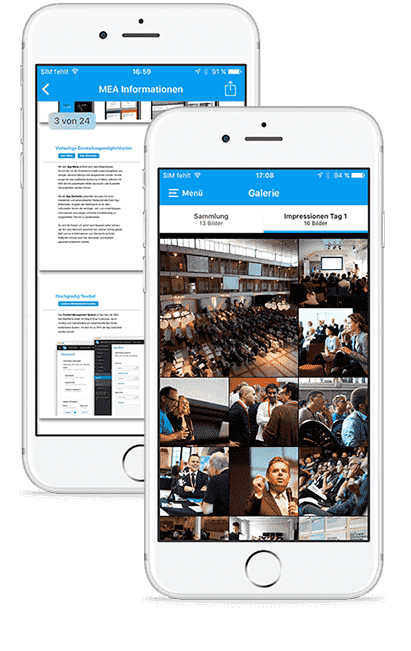
Create several photo albums in the CMS system for sorting pictures from the event as desired and showing them using the app. Users can also download the pictures.
- Upload and sort pictures
- Download pictures
Documents & Files
Upload PDF files, with lecture slides or product brochures, into the CMS system. The files can also be linked with agenda items or exhibitors as well as with various pages.
- Upload PDF files
- List page
Sharing Content
Gallery
Create several photo albums in the CMS system for sorting pictures from the event as desired and showing them using the app. Users can also download the pictures.
- Upload and sort pictures
- Download pictures
Documents & Files
Upload PDF files, with lecture slides or product brochures, into the CMS system. The files can also be linked with agenda items or exhibitors as well as with various pages.
- Upload PDF files
- List page
Marketing Partners
Sponsors
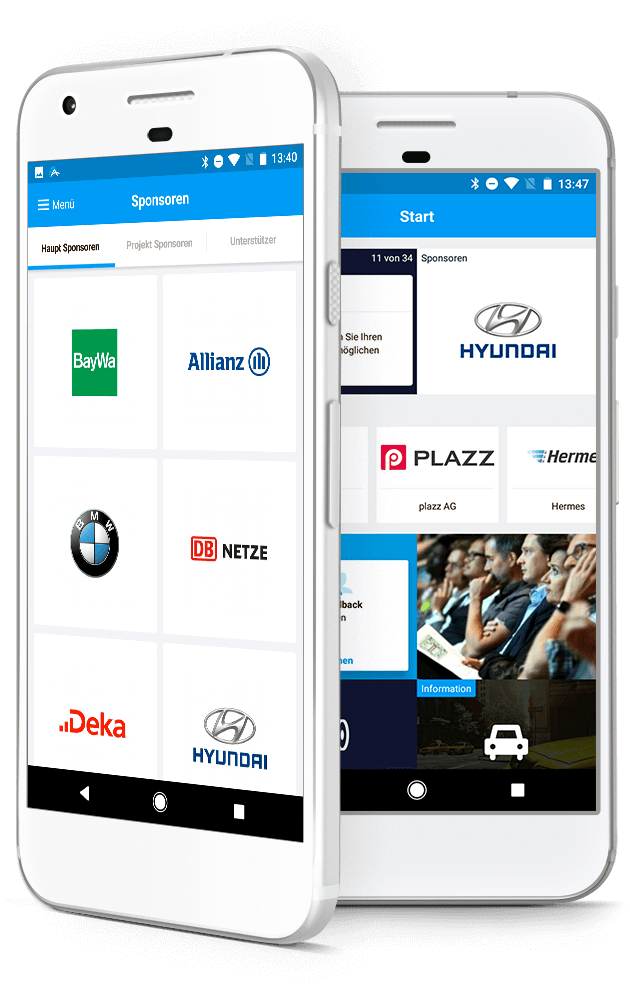
Refinance your app with the help of sponsors. Associate links with sponsors’ logos on the main page, the menu and/or on the app’s main page. Using the Sponsors feature, you can list several sponsors at a glance and sort them using categories.
- Multiple placement options
- Various representation options
- Linking to sponsors
Exhibitors
The exhibitor catalog is ideally suited to presenting detailed information about a large number of companies with a variety of information. In addition to product lists and descriptions of companies, the details about the exhibitors can include a link to the location of their stand on the floor layout, which will make finding it easier for the participants.
- Search and filter by favorites
- Comprehensive list of exhibitor details
- Link to items of interest
Marketing Partners
Sponsors
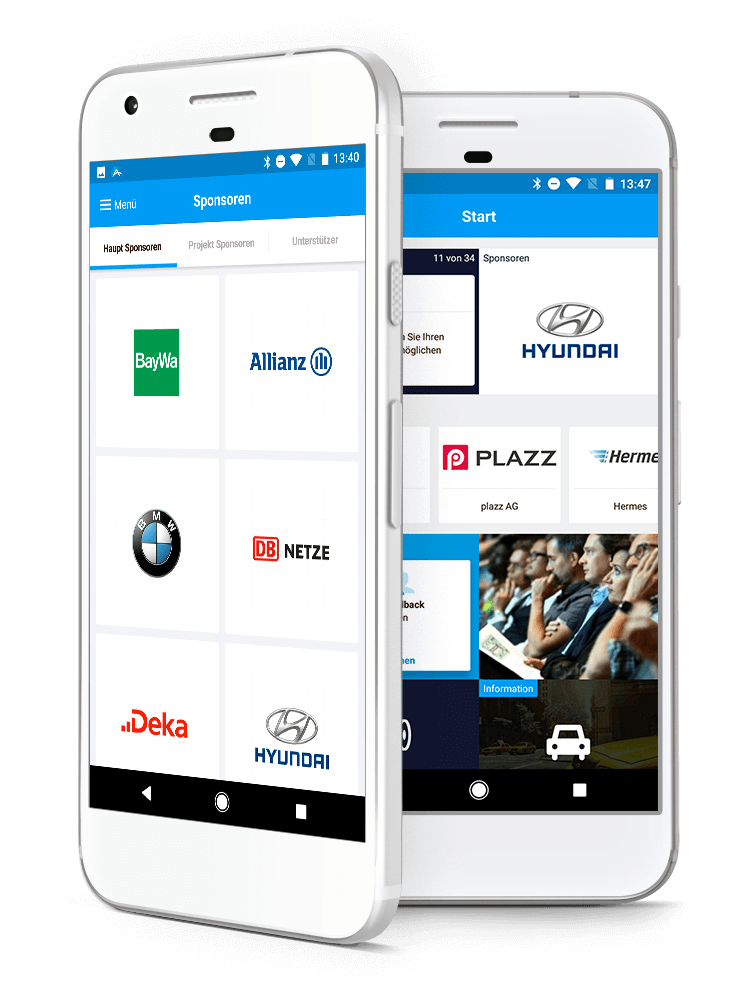
Refinance your app with the help of sponsors. Associate links with sponsors’ logos on the main page, the menu and/or on the app’s main page. Using the Sponsors feature, you can list several sponsors at a glance and sort them using categories.
- Multiple placement options
- Various representation options
- Linking to sponsors
Exhibitors
The exhibitor catalog is ideally suited to presenting detailed information about a large number of companies with a variety of information. In addition to product lists and descriptions of companies, the details about the exhibitors can include a link to the location of their stand on the floor layout, which will make finding it easier for the participants.
- Search and filter by favorites
- Comprehensive list of exhibitor details
- Link to items of interest
Getting participants involved
Quizzes*
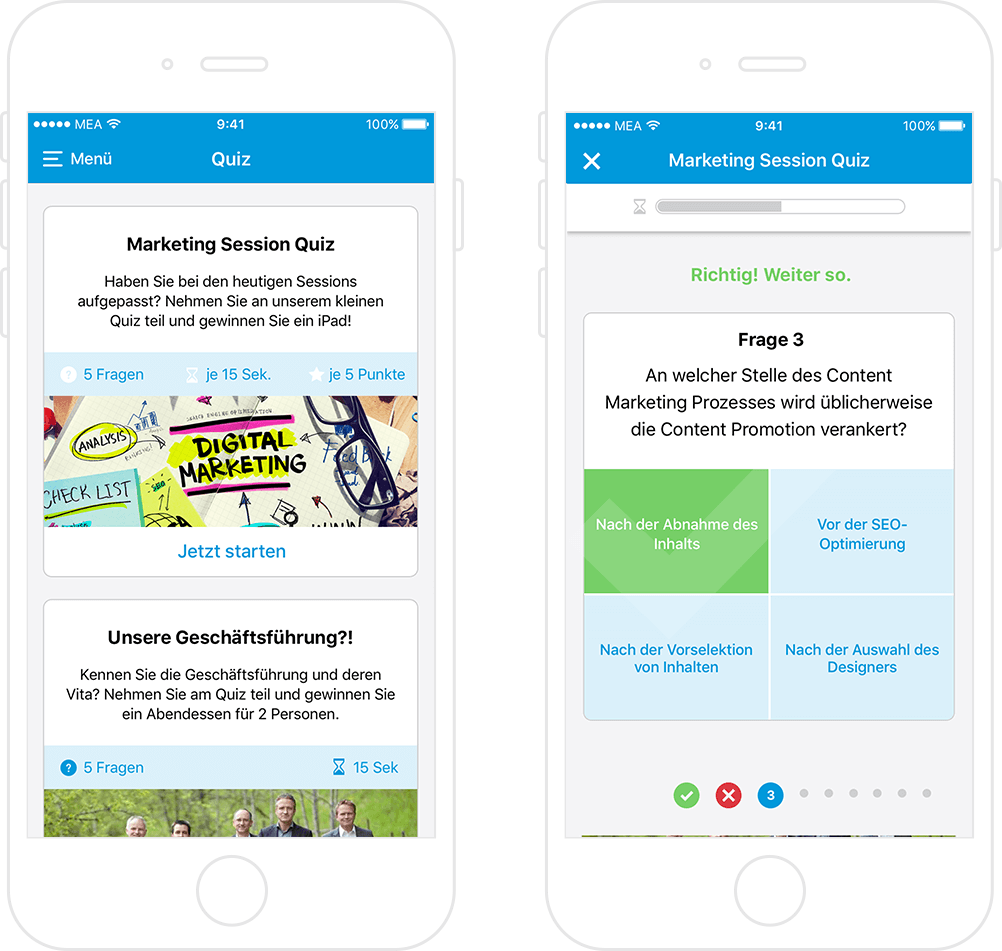
Offer participants the ability to test their knowledge about various issues related to your event. You can create multiple quizzes and provide the questions and answers. Award points in connection with the gamification feature.
- Involve participants more heavily in your event
- Integration with the gamification feature
Scanner
The integrated scanner of the Event App can read the participants badges or QR codes at the exhibitors’ stands. Doing this will allow users to gain more information about a location or a person. This feature can also be integrated with gamification features.
- Scanning people’s QR codes or locations
- Integration of gamification feature
Gamification*
Use the app to motivate your participants even more effectively through Gamification. Use the CMS to determine which actions will generate items for the participants within the app. The personalized high score ranking and points will be displayed on the menu as well as the app’s Leader Board.
- Reward system for certain app actions
- Leader board with a rank listing for all app users
- Determination of the learning effects


* Optional features for an additional fee
Getting participants involved
Gamification*
Use the app to motivate your participants even more effectively through Gamification. Use the CMS system to determine which actions will generate items for the participants within the app. The personalized high score ranking and points will be displayed on the menu as well as the app’s Leader Board.
- Reward system for certain app actions
- Leader board with a rank listing for all app users
Scanner
The app’s scanner can read the participants badges or QR codes at the exhibitors’ stands. Doing this will allow users to gain more information about a location or a person. Moreover this feature can be integrated with gamification features.
- Scanning people’s QR codes or locations
- Integration of gamification feature
Quizzes*
Offer participants the ability to test their knowledge about various issues related to your event. You can create multiple quizzes and provide the questions and answers. Award points in connection with the gamification feature.
- Involve participants more heavily in your event
- Integration with the gamification feature
- Leader board with a rank listing for all app users
* Optional features for an additional fee
Digital Availability
Virtual Attendance
Make your event digitally available! Depending on the situation, an event can either take place completely virtually or, as an alternative to participating locally, be entered via app. Thus, you are always available for your participants. Especially guests, who cannot always be on site, benefit enormously from this flexibility.
Live Streaming & Video On Demand*
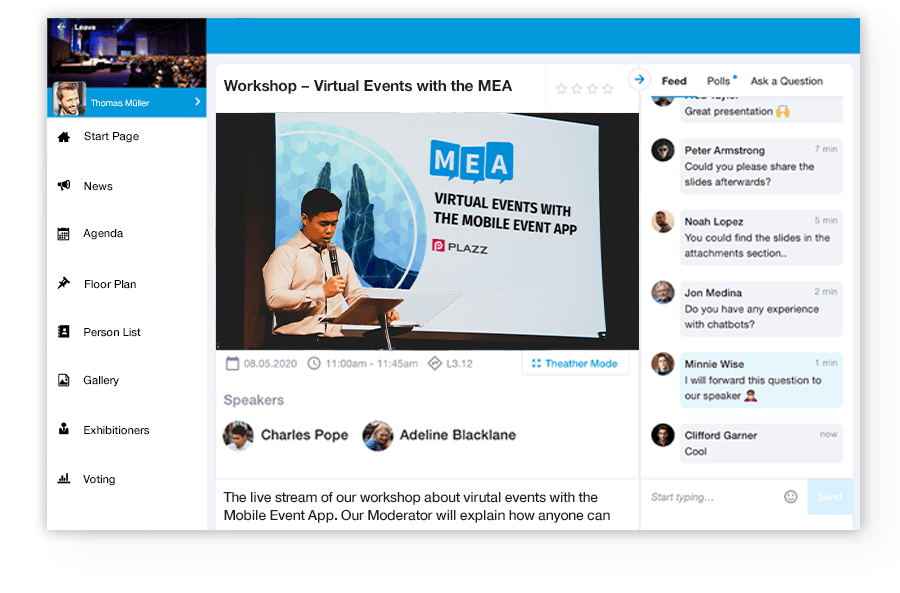
Record lectures and play them back simultaneously as a live stream within the event app. Afterwards you can make the live videos or other pre-prepared video content available on-demand. Play back the content via our comprehensive video player, with Picture-in-Picture mode, time shift and adjustable size.
- Everything at a glance
- Speakers, description, documents
- Audience Interaction
- Surveys & group discussions
Meeting & Video Conferencing*
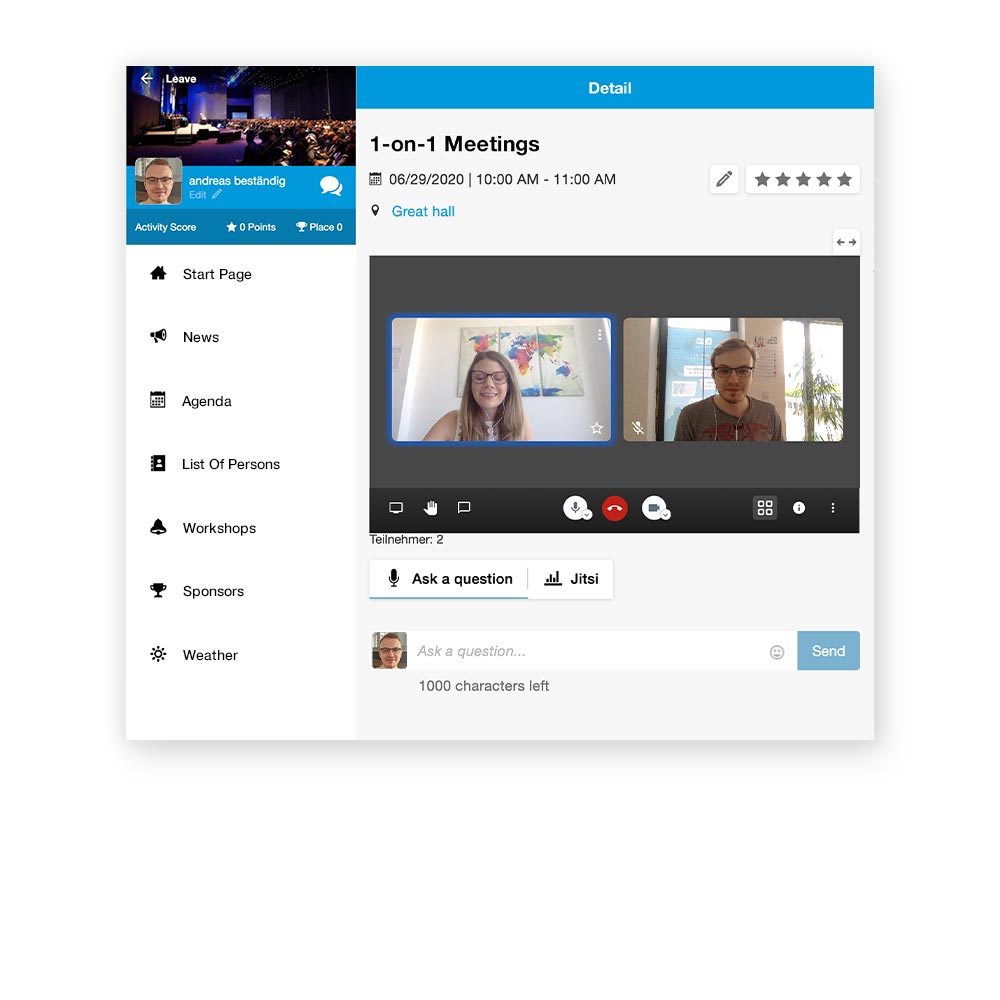
Hold virtual conferences directly within the Event App! No installation of additional software required. As long as access to the event and the respective agenda item is assured, participation will be possible. This makes virtual conferences an uncomplicated and flexible matter for you and your guests.
- Audio, video & chat communication
- Screensharing & virtual hand raising
- Group & individual chats
- 1:1 meetings, Q&A sessions, virtual breakouts

* Optional features for an additional fee
Digital Availability
Virtual Attendance
Make your event digitally available! Depending on the situation, an event can either take place completely virtually or, as an alternative to participating locally, be entered via app. Thus, you are always available for your participants. Especially guests, who cannot always be on site, benefit enormously from this flexibility.
Live Streaming & Video On Demand*
Record lectures and play them back simultaneously as a live stream within the event app. Afterwards you can make the live videos or other pre-prepared video content available on-demand. Play back the content via our comprehensive video player, with Picture-in-Picture mode, time shift and adjustable size.
- Everything at a glance
- Speakers, description, documents
- Audience Interaction
- Surveys & group discussions
Meeting & Video Conferencing*
Hold virtual conferences directly within the Event App! No installation of additional software required. As long as access to the event and the respective agenda item is assured, participation will be possible. This makes virtual conferences an uncomplicated and flexible matter for you and your guests.
- Audio, video & chat communication
- Screensharing & virtual hand raising
- Group & individual chats
- 1:1 meetings, Q&A sessions, virtual breakouts
* Optional features for an additional fee
App Design
Main Page
The dynamic main page provides the participants with an interactive, personalized starting point for the Event App. A variety of components, such as lists of people, a preview of the agenda or the gallery, will provide each app user with the most important, personalized information available at the time and quick access to the app pages that will be important to them.
- Flexible setup
- Linking the most important app pages
- Customizable
Menus
Using several menu items, you can construct a clean, easy-to-use menu. Use separators to organize associated items or collect a few important menu items in sub-menus. Images will make space for sponsors and loosen up the structure, while icons will help users to quickly identify the desired menu options.
- Organized structures using sub-menus and separators
- Images and icons as visual highlights
- Customizable
Custom Pages
Specialized pages can customized for their intended usage thanks to various modules. Travel directions, hotel information and video greetings can be smoothly integrated into the app.
- Flexibles Setup
- Messages, images, videos and files
- Links to email, web and phone numbers
Importing Data
Importing the agenda will allow you to create your program quickly and easily. Naturally, you can edit the agenda items afterwards, so that adjustments can be made. Information about participants and exhibitors can be added to the system easily by importing Excel files.
- Simplified upload of data using Excel files
- Independent management of data
Colors
You can change the app’s most important colors to brand it with your corporate design.
- Adjusting colors for important controls
App Design
Main Page
The dynamic main page provides the participants with an interactive, personalized starting point for the Event App. A variety of components, such as lists of people, a preview of the agenda or the gallery, will provide each app user with the most important, personalized information available at the time and quick access to the app pages that will be important to them.
- Flexible setup
- Linking the most important app pages
- Customizable
Menus
Using several menu items, you can construct a clean, easy-to-use menu. Use separators to organize associated items or collect a few important menu items in sub-menus. Images will make space for sponsors and loosen up the structure, while icons will help users to quickly identify the desired menu options.
- Organized structures using sub-menus and separators
- Images and icons as visual highlights
- Customizable
Custom Pages
Specialized pages can customized for their intended usage thanks to various modules. Travel directions, hotel information and video greetings can be smoothly integrated into the app.
- Flexibles Setup
- Messages, images, videos and files
- Links to email, web and phone numbers
Colors
You can change the app’s most important colors to brand it with your corporate design.
- Adjusting colors for important controls
Importing Data
Importing the agenda will allow you to create your program quickly and easily. Naturally, you can edit the agenda items afterwards, so that adjustments can be made. Information about participants and exhibitors can be added to the system easily by importing Excel files.
- Simplified upload of data using Excel files
- Independent management of data
Data protection & data security
Data Protection
We take the appropriate technical and organisational measures in accordance with the requirements of the General Data Protection Regulation (GDPR).
- Provision of a declaration of data protection for the app
- Discrete handling of data by the Plazz AG employees
Personal Data
When processing the order data, we rely on the services of our partners at Neue Medien Muennich GmbH for server hosting or alternatively hosting in the Google Cloud Center in Frankfurt. Both companies are bound by the conditions and requirements of the GDPR.
- Storage of personal data on German servers
- Compliance with the highest level of security standards
- Possibility of account deletion
- Right to access data
IT Security
Event App operates on, and is provided by, rented dedicated German servers. Our state-of-the-art security configurations will protect your company’s data as well as the event participants’ data.
- Passwords stored on servers in encrypted format only (salted passwords)
- Flexible corporate password policy
- Software developed according to the OWASP Top 10
- Customized web server configuration (HSTS, X-Frame options, secure cookies, CORS
- Security reviews & pen tests
- Checks for entry and access to the system
- Strict separation of clients
- Two-Factor Authentication for CMS and Frontend
Data protection & data security
Data Protection
We take the appropriate technical and organisational measures in accordance with the requirements of the General Data Protection Regulation (GDPR).
Points of Interest
When processing the order data, we rely on the services of our partners at Neue Medien Muennich GmbH for server hosting or alternatively hosting in the Google Cloud Center in Frankfurt. Both companies are bound by the conditions and requirements of the GDPR.
- Storage of personal data on German servers
- Compliance with the highest level of security standards
- Possibility of account deletion
- Right to access data
Lead Scanner
Event App operates on, and is provided by, rented dedicated German servers. Our state-of-the-art security configurations will protect your company’s data as well as the event participants’ data.
- Passwords stored on servers in encrypted format only (salted passwords)
- Flexible corporate password policy
- Software developed according to the OWASP Top 10
- Customized web server configuration (HSTS, X-Frame options, secure cookies, CORS
- Security reviews & pen tests
- Checks for entry and access to the system
- Strict separation of clients
- Two-Factor Authentication for CMS and Frontend
Data Integration
About APIs
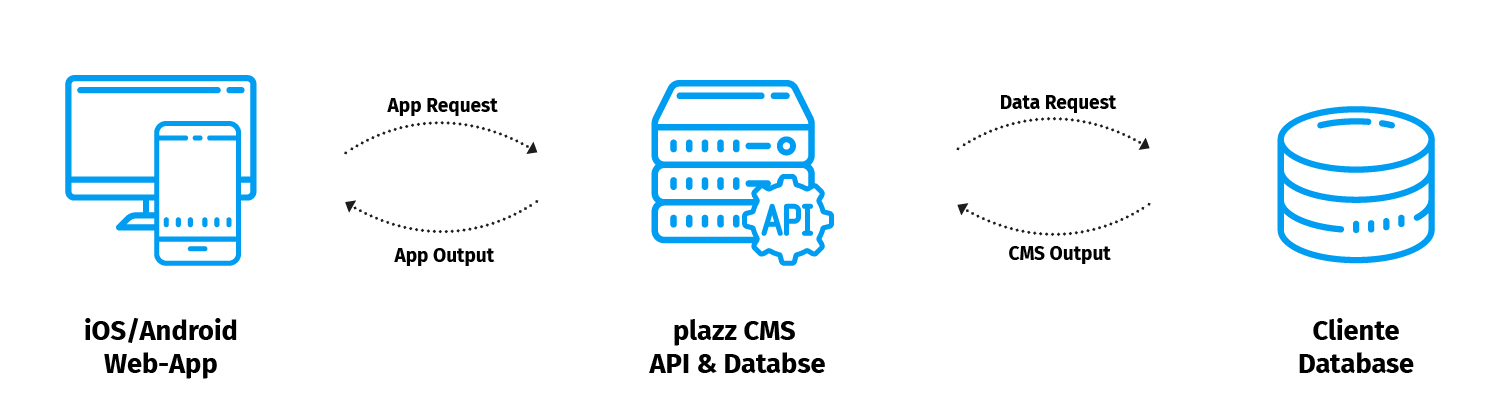
APIs (Application Programming Interface) are the hidden champions of the internet. They regulate the flow of information between countless databases, providers and users. Without APIs the world wide web, as we know it, wouldn’t exist. That is why we made sure to use them in the Mobile Event App and also enable it for our users.
Management API
Use our management API to integrate your internal IT services. Easily import content like agenda, people and exhibitors to our CMS. For optimal use and implementation, we’ve created a comprehensive documentation which can be accessed by your IT department.
- Effective exchange of information between databases
- Simplified and automated data Integration
Third-party APIs
We also allow the integration of third-party APIs. With XING and LinkedIn you can present your business profile and expand your network. Embedding of Twitter, Instagram and Facebook opens the doors of your app to the world of social media.
- Profile integration of XING and LinkedIn
- Display of social media feeds
Data Integration
About APIs
APIs (Application Programming Interface) are the hidden champions of the internet. They regulate the flow of information between countless databases, providers and users. Without APIs the world wide web, as we know it, wouldn’t exist. That is why we made sure to use them in the Mobile Event App and also enable it for our users.
Management API
Use our management API to integrate your internal IT services. Easily import content like agenda, people and exhibitors to our CMS. For optimal use and implementation, we’ve created a comprehensive documentation which can be accessed by your IT department.
- Effective exchange of information between databases
- Simplified and automated data Integration
Third-party APIs
We also allow the integration of third-party APIs. With XING and LinkedIn you can present your business profile and expand your network. Embedding of Twitter, Instagram and Facebook opens the doors of your app to the world of social media.
- Profile integration of XING and LinkedIn
- Display of social media feeds
Additional Features
Notes
If the notes feature has been enabled for an agenda item, users can create their own notes. All notes are collected inside the corresponding menu field. They can also be edited and sent by e-mail.
Points of Interest
You can use the Points of Interest feature in the app to develop interactive maps with the locations that are most important for your event. A link can be created on the maps with additional information about each item.
- Interactive maps
- Links for individual items
- Pinch to zoom
Lead Scanner
Exhibitors can use the Lead Scanner feature to digitally record guests at their booths. MEA includes a QR code reader, which participants can scan. They can then store the relevant additional information using a data entry screen.
- Various options for exporting data
- Flexible adjustments do not require programming skills
Weather
The Weather Report feature can provide participants at your event with information about the event location as a small add-on service.
- Weather forecast for up to 5 days
Appointment Scheduling
The Appointment tool provides participants with the ability to arrangement meetings in 10 or 20 minute blocks. Requests for appointments are created using a reservation form and can be confirmed or rejected. The scheduling calendar operates separately from the agenda and the My Scheduler feature.
- Customize appointment scheduling among the participants
- Appropriate for events where company founders meet investors and similar applications.
Additional Features
Notes
If the notes feature has been enabled for an agenda item, users can create their own notes. All notes are collected inside the corresponding menu field. They can also be edited and sent by e-mail.
- Create notes for individual agenda items
- Optional use of e-mail
Points of Interest
You can use the Points of Interest feature in the app to develop interactive maps with the locations that are most important for your event. A link can be created on the maps with additional information about each item.
- Interactive maps
- Links for individual items
- Pinch to zoom
Lead Scanner
Exhibitors can use the Lead Scanner feature to digitally record guests at their booths. MEA includes a QR code reader, which participants can scan. They can then store the relevant additional information using a data entry screen.
- Various options for exporting data
- Flexible adjustments do not require programming skills
Weather
The Weather Report feature can provide participants at your event with information about the event location as a small add-on service.
- Weather forecast for up to 5 days
Appointment Scheduling
The Appointment tool provides participants with the ability to arrangement meetings in 10 or 20 minute blocks. Requests for appointments are created using a reservation form and can be confirmed or rejected. The scheduling calendar operates separately from the agenda and the My Scheduler feature.
- Customize appointment scheduling among the participants
- Appropriate for events where company founders meet investors and similar applications.
Are you looking for a feature that hasn’t been listed?
Let us know.